
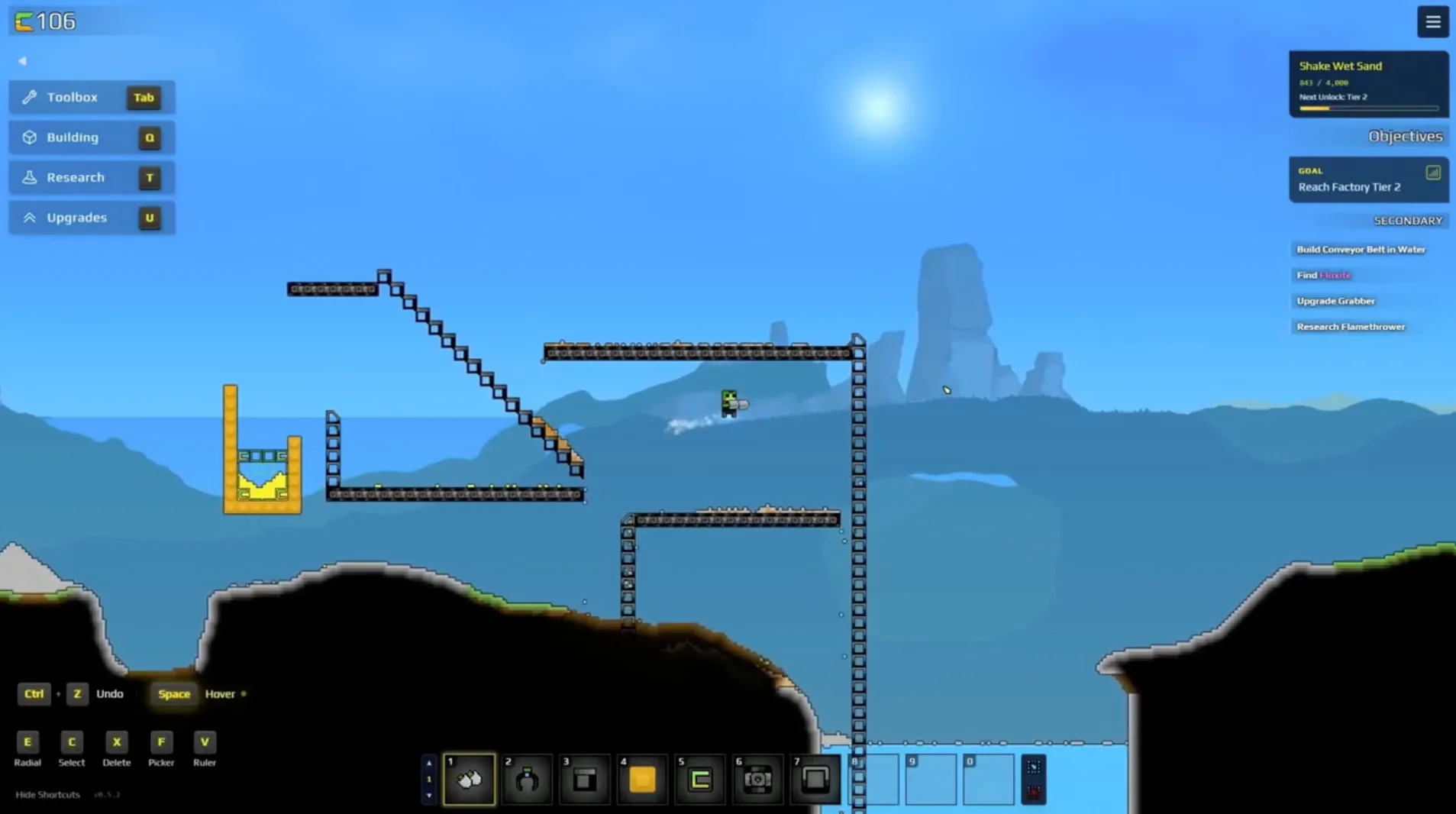
What is Sandustry?
Sandustry is a sand-physics automation builder from indie developer Lantto Games, published by Hooded Horse. You arrive on a fully destructible planet where every pixel is a resource. The core loop is: collect and process sand into gold, spend gold on research, and unlock the logistics and production tools you need to scale up - then dig deeper and start the whole cycle again with better machines.
It launched into Early Access on August 13, 2026 on Steam, GOG and the Microsoft Store, and joined PC Game Pass the same day. It's a single-player game for Windows, macOS and Linux, and reception in the first week ran 97% positive across roughly 1,500 Steam reviews. If you're still deciding, the free browser demo on itch.io teaches the first twenty minutes of this guide for free.
Sandustry Beginner First Goals: Dig, Wet, Gold
Your opening loop follows a clear chain: dig sand, add water to make wet sand, run it through a Shaker to get gold (and slag), collect the gold, and spend it on research. That research unlocks conveyors, launchers and the buildings that let you stop doing everything by hand.
- Dig sand - sand comes from Sandsoil, the pale material on the surface. Your basic gun and shovel are enough to start.
- Add water - sand plus water becomes wet sand. Find a lake or pipe water in; wet sand is the only input a Shaker accepts.
- Run a Shaker - wet sand in a Shaker produces gold and slag. Early gold is probabilistic, so don't panic at a slow start.
- Collect gold - a Collector gathers it; gold powers all of your research.
- Unlock research - spend gold on Research. Refining first (better Shakers), then Logistics (belts, launchers) is the order most runs follow.
The mistake this beginner guide exists to prevent: hoarding. Gold spent early on infrastructure compounds - the Shaker you research now produces the gold for the press you research next hour. A pile of unspent gold produces nothing.
Sandustry Controls, Interface and the Three Currencies
The HUD keeps three resources in front of you, and each buys something different - this is the beginner confusion worth settling in your first five minutes:
- Gold - unlocks Research. Your first-hour priority.
- Fluxite (purple) - unlocks Upgrades for your tools, weapons and drones. Spends start mattering after the first hour.
- Energy - powers late-game structures. Ignore it completely until your factory is stable.
For interface: the minimap shows objectives as yellow arrows when something needs you off-screen, and the hotbar system gives you ten bars of ten slots (Alt + number to switch between them - the tips guide lists the hotkeys worth memorizing, like V for the tile grid and W+Space to walk through your own buildings).
Sandustry Logistics: Conveyors and Launchers
Moving material is the heart of the game, and the beginner mistake is doing it by hand for too long. Conveyor belts move solids horizontally; launchers throw them vertically or diagonally, which matters because the interesting parts of the map are stacked on top of each other. Neither needs power, so the moment you can research Logistics, do.
Filters let you sort mixed piles - set them to Allow or Block a single material. Because heavier materials sink, filtering the densest material first is usually the cleanest way to split a pile. And when belts and launchers still feel like too much: a dug channel with gravity doing the work is a legitimate early transport line. Sand flows.
Sandustry First Production: From Shaker to Press
Three core structures refine resources into gold: the Shaker, the Kinetic Slag Press, and the Planter Box. Each produces a by-product that feeds the next machine - which is the central design idea of the game: nothing is waste if you route it.
The beginner sequence that works: Shaker first (it's the only source of gold and slag), then burn that slag into burnt slag and feed it to the Kinetic Slag Press - it gives the most gold per effort of the three, and its spore output starts the plant chain through the Planter Box. The press guide covers the feeding trick (material has to fall onto it from height) that trips up most new players.
Sandustry Beginner Exploration: The Map Under Your Base
Sandustry's world extends down, not just out. Under the surface you'll find caves, water pools, lava chambers and the ruins of an ancient civilization - boss fights and puzzles down there guard key items. The bedrock at the bottom is the only true floor. Scout the surface before building (big lake, sand field, open ground), but remember the vertical dimension is where the mid-game lives.
A word of caution from the depth: lava can't be piped or shoveled directly. Freeze it first, haul the cinder, relight it later - the lava & water guide explains the loop before you need it.
Sandustry Beginner Tips for Your First Session
- Scout the map before building - a big lake and open ground save hours of rework.
- Buy the Material Scanner upgrade early; hover-anything-to-learn-it beats tabbing to a wiki.
- Research Logistics before you think you need it - carrying material by hand is the real difficulty spike.
- Don't fight the physics; use them. Gravity sorts piles, channels move water, launchers abuse verticality.
- Explore for artifacts and augments between build phases - they're permanent progression boosts.
- For the full list, the Tips & Tricks page expands every one of these.
Sandustry Beginner FAQ
Is Sandustry multiplayer?
No - it's single-player. The browser demo is what "online" refers to. See the online & multiplayer page.
Where can I buy it?
Steam, GOG, Microsoft Store, or PC Game Pass. The price guide tracks the launch discount window.
Can I mod it?
Yes - Steam Workshop support opened with Early Access; see the mods guide.
Is it like Factorio?
In loop, yes; in feel, no - the falling-sand physics changes everything. The comparison guide breaks it down.